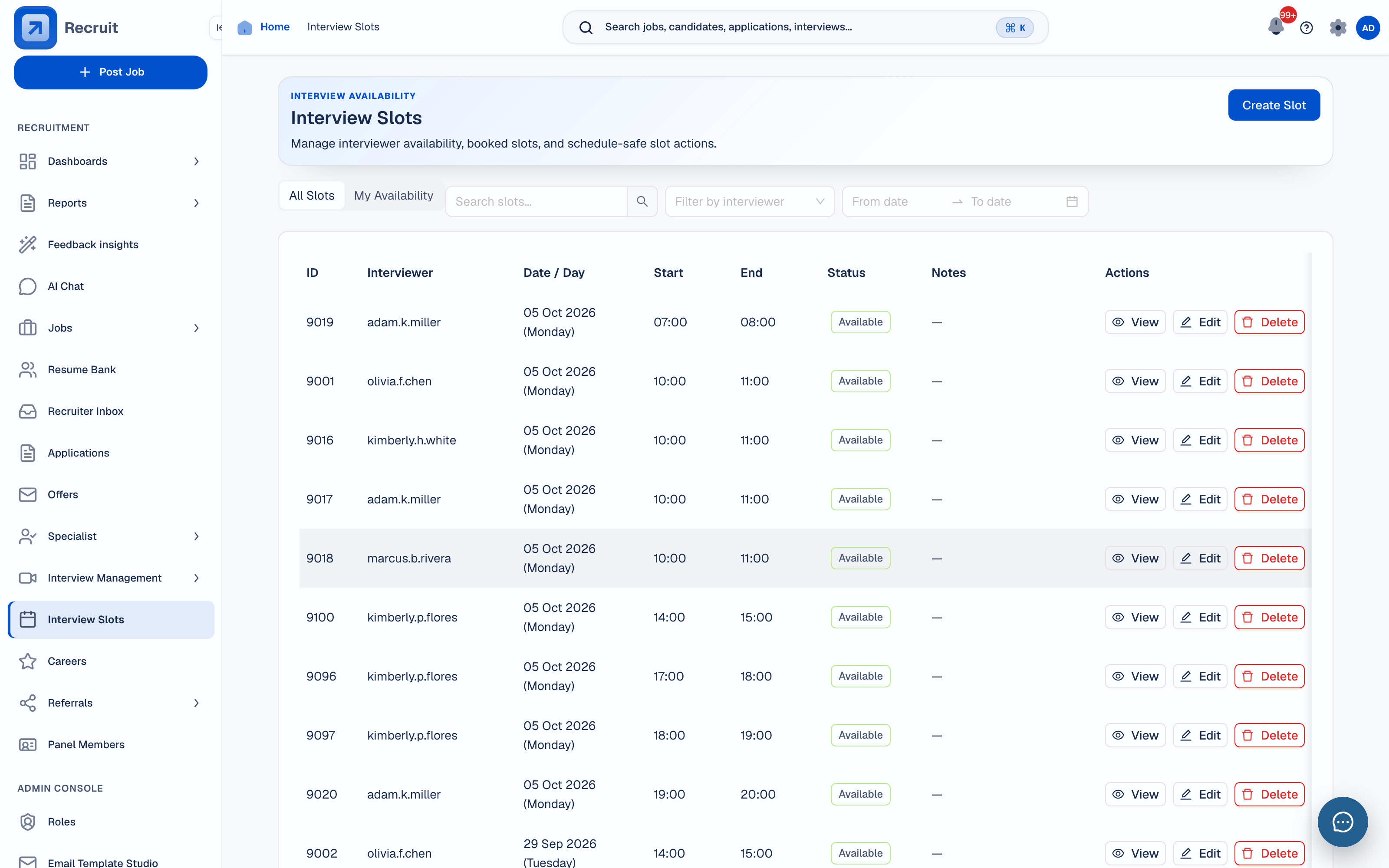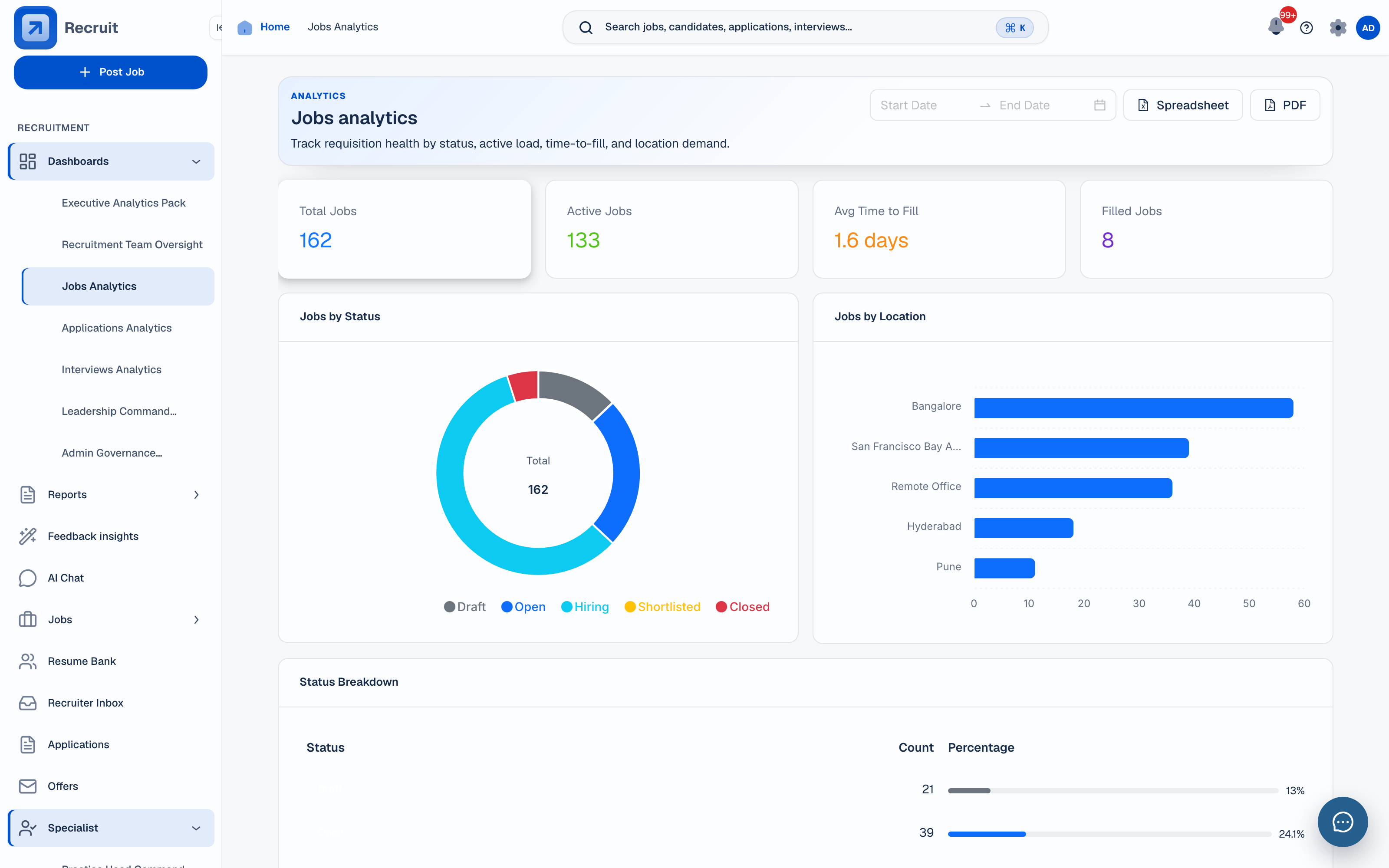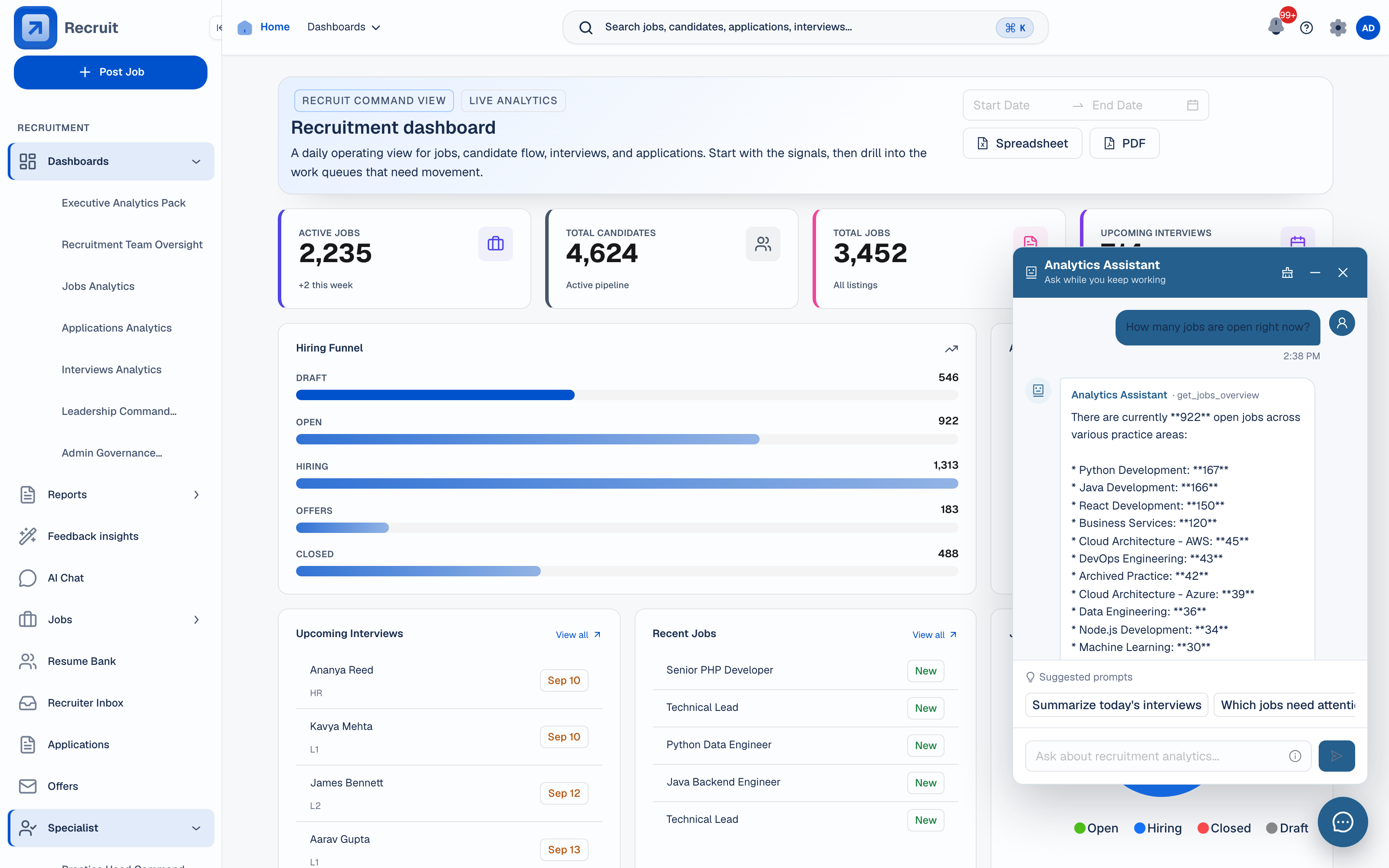
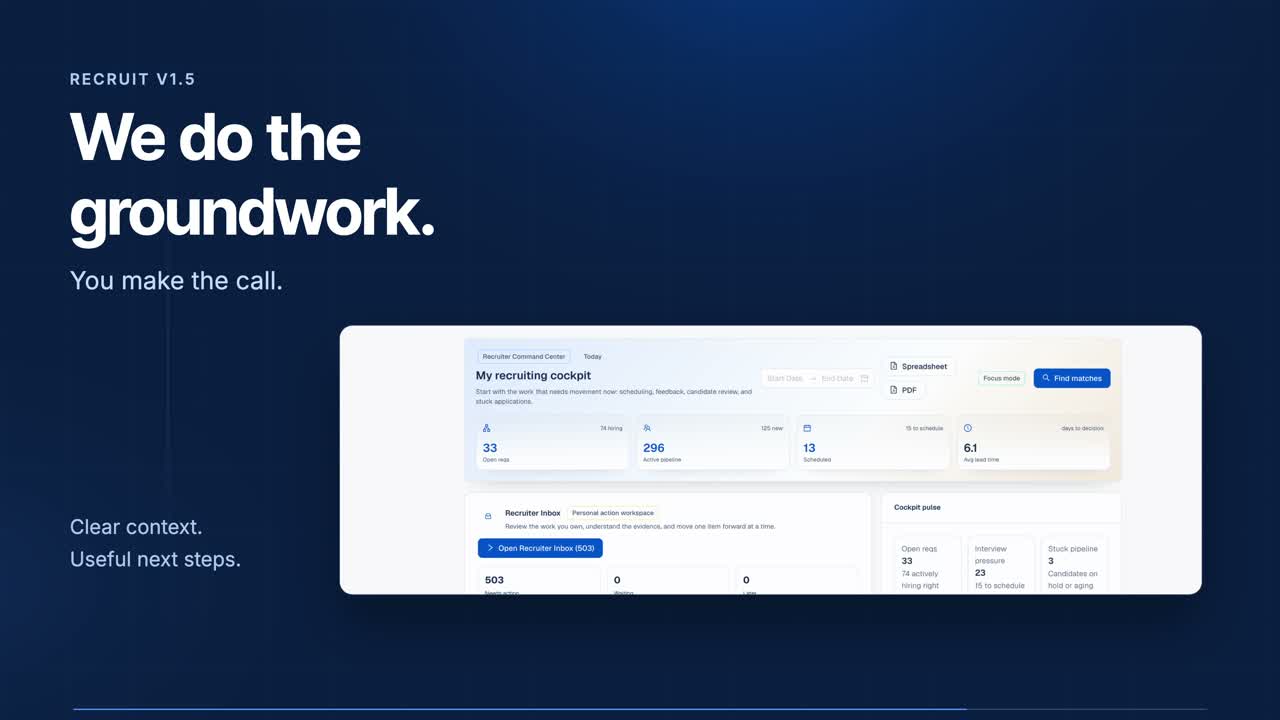
Pipeline control from intake to outcome.
Follow job requests through to interviews and offers. Keep the candidate record and decisions together without juggling separate trackers.
9 workflow stagesRecruit’s agentic assistance prepares evidence and follow-up proposals for your team to review. Recruit Copilot keeps the hiring record in the conversation as you decide what to do next.
Available to eligible recruitment accounts when enabled. Your team decides the next action.Ask Recruit Copilot for your priorities. See the work waiting for you, with a direct link to the next step.
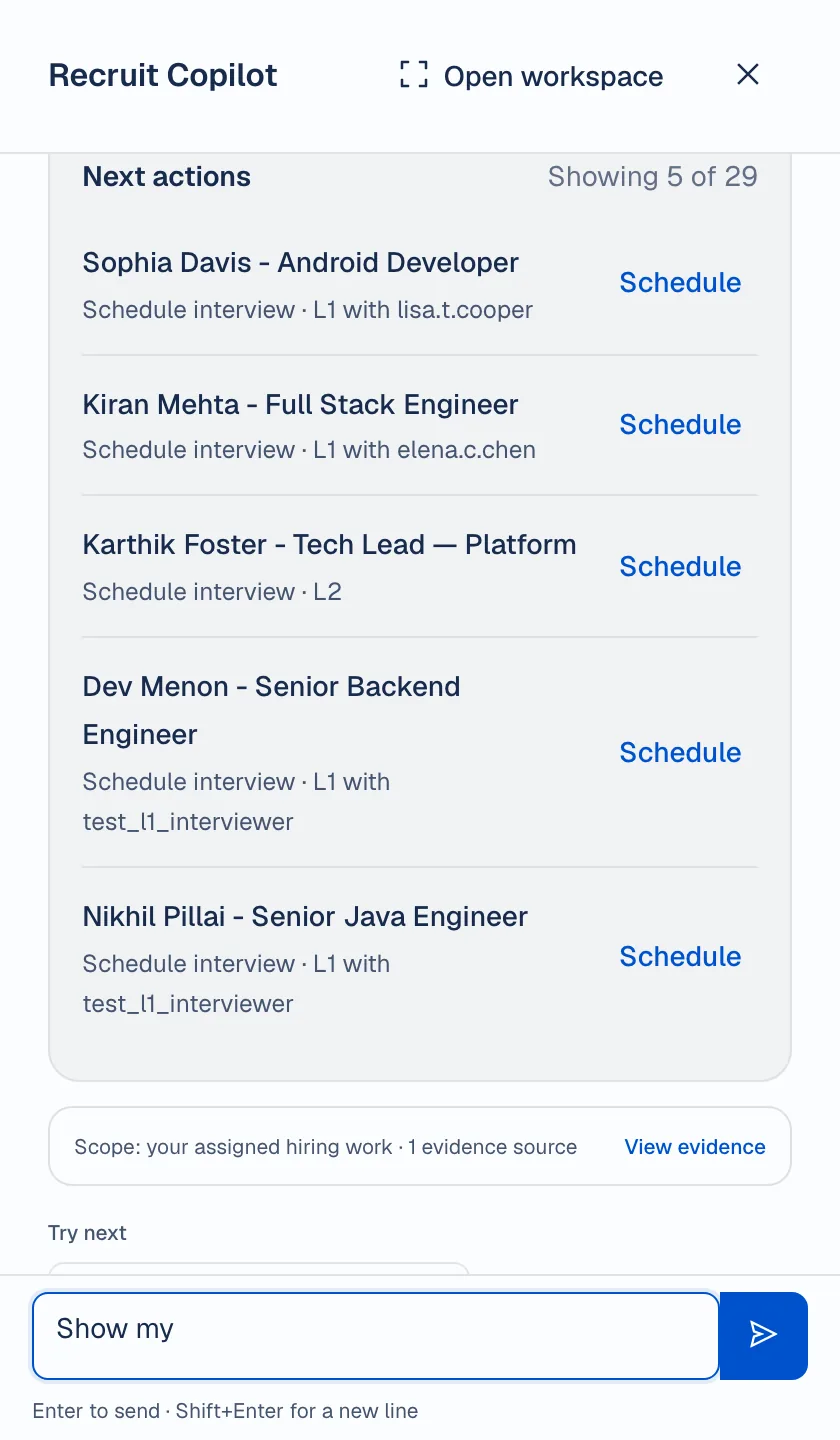
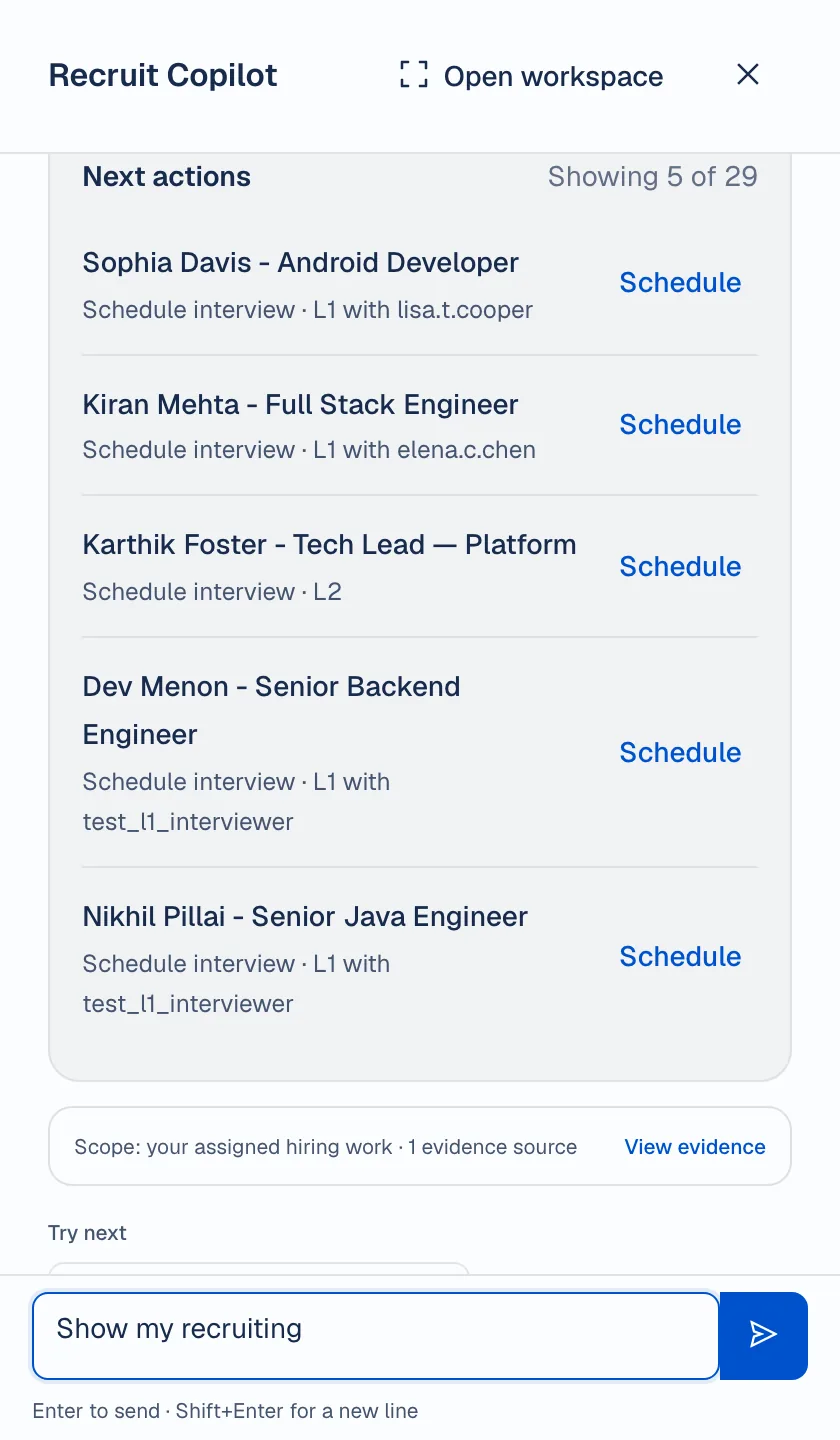
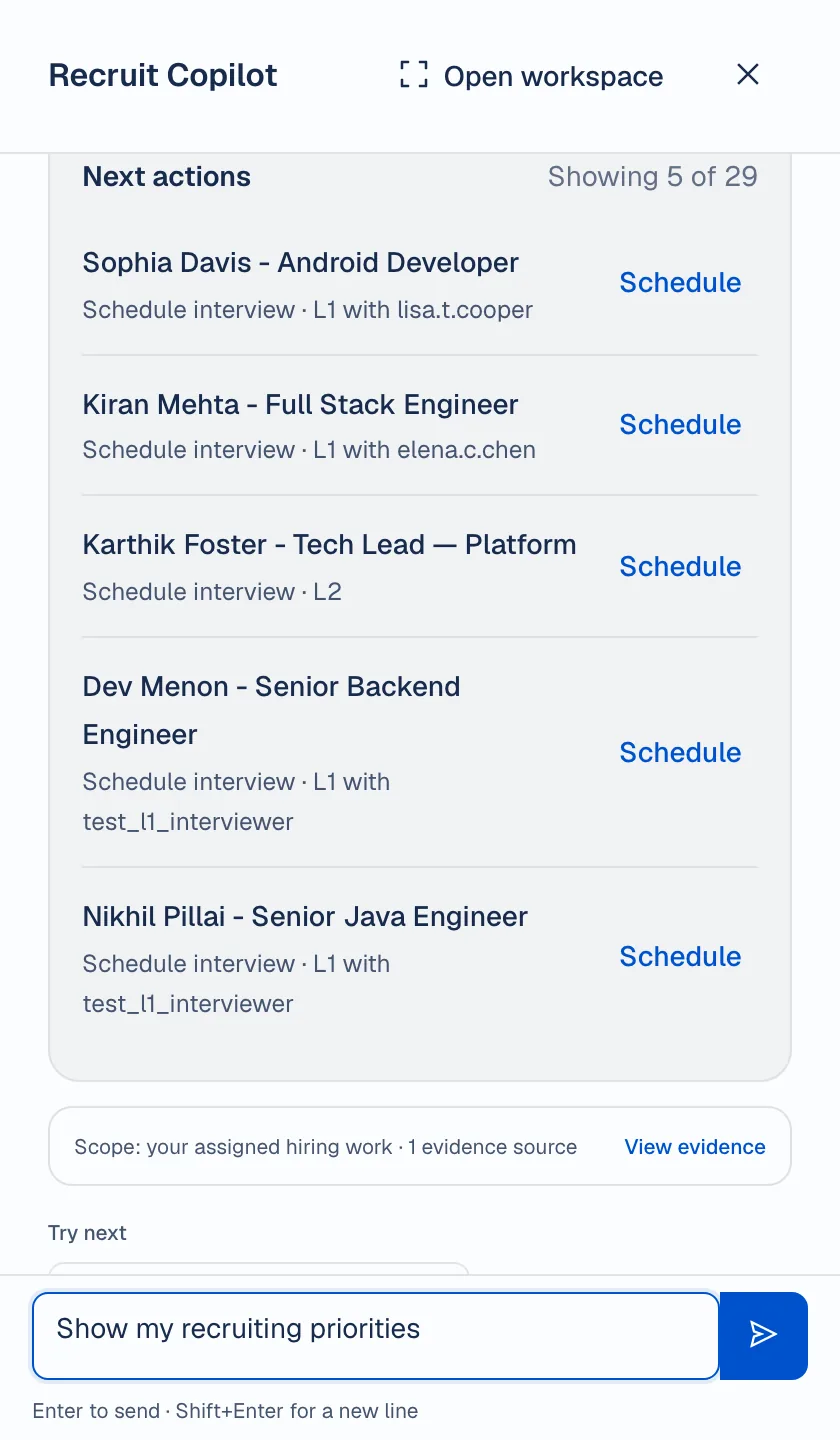
Show my recruiting priorities
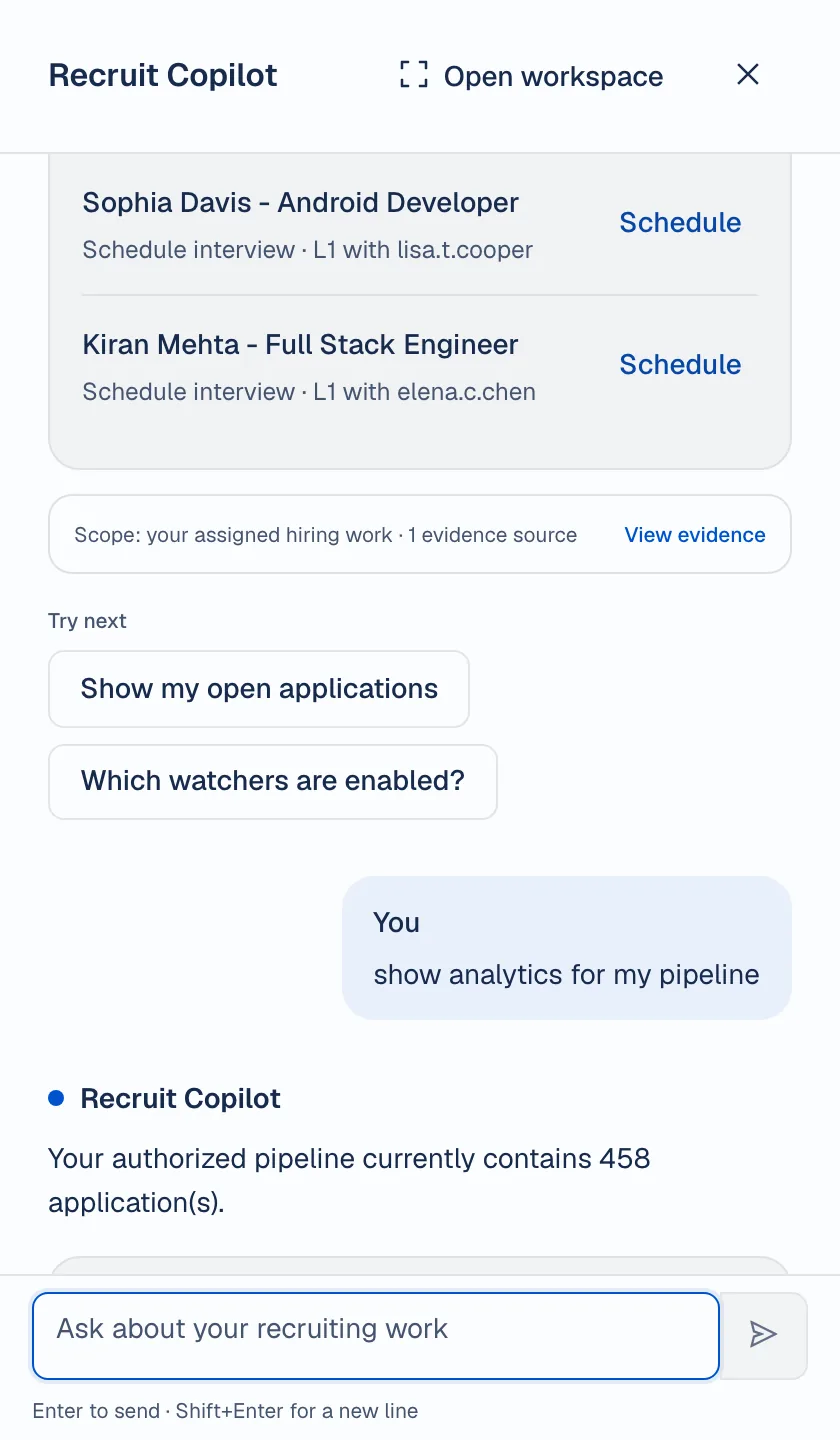
You: Show my recruiting priorities
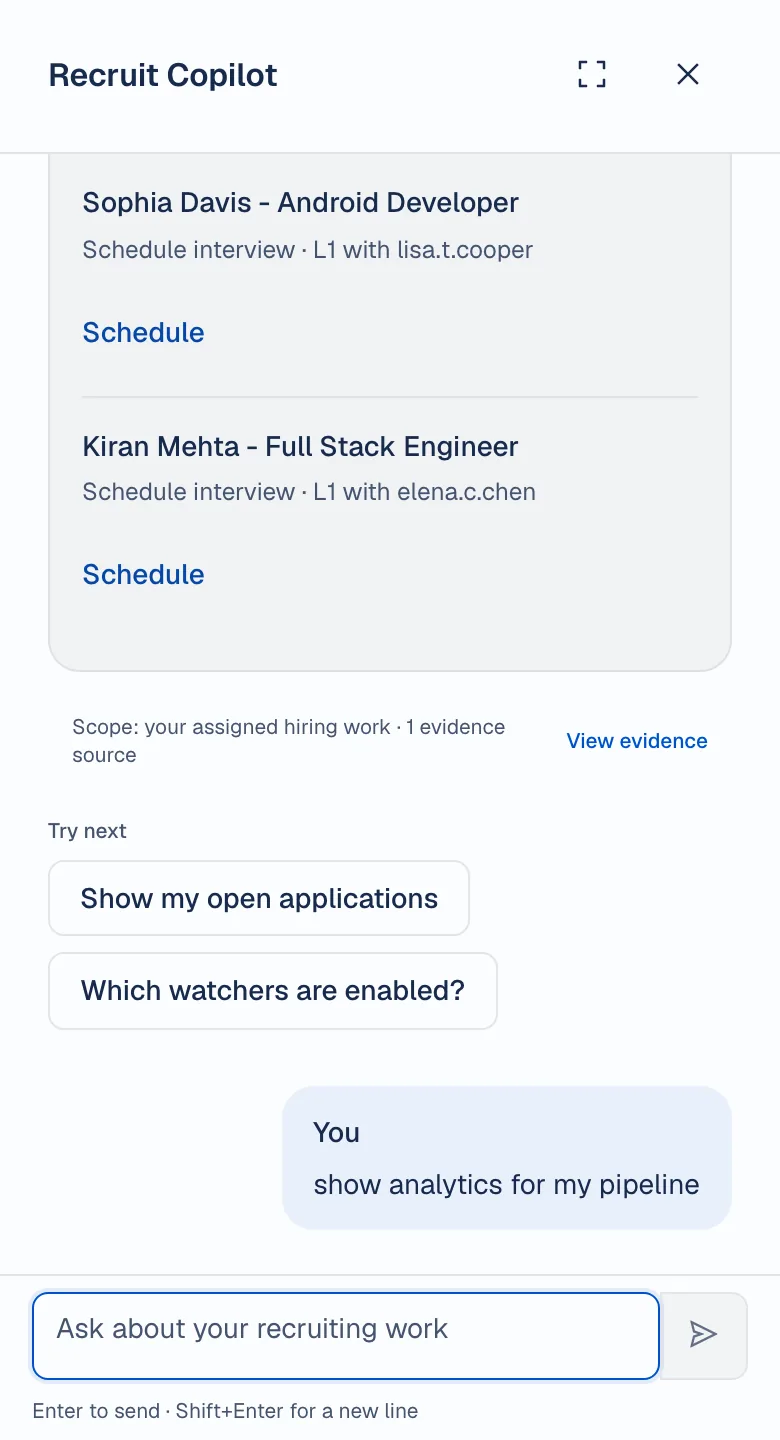
Recruit Copilot: Here is your current recruiter priority summary.
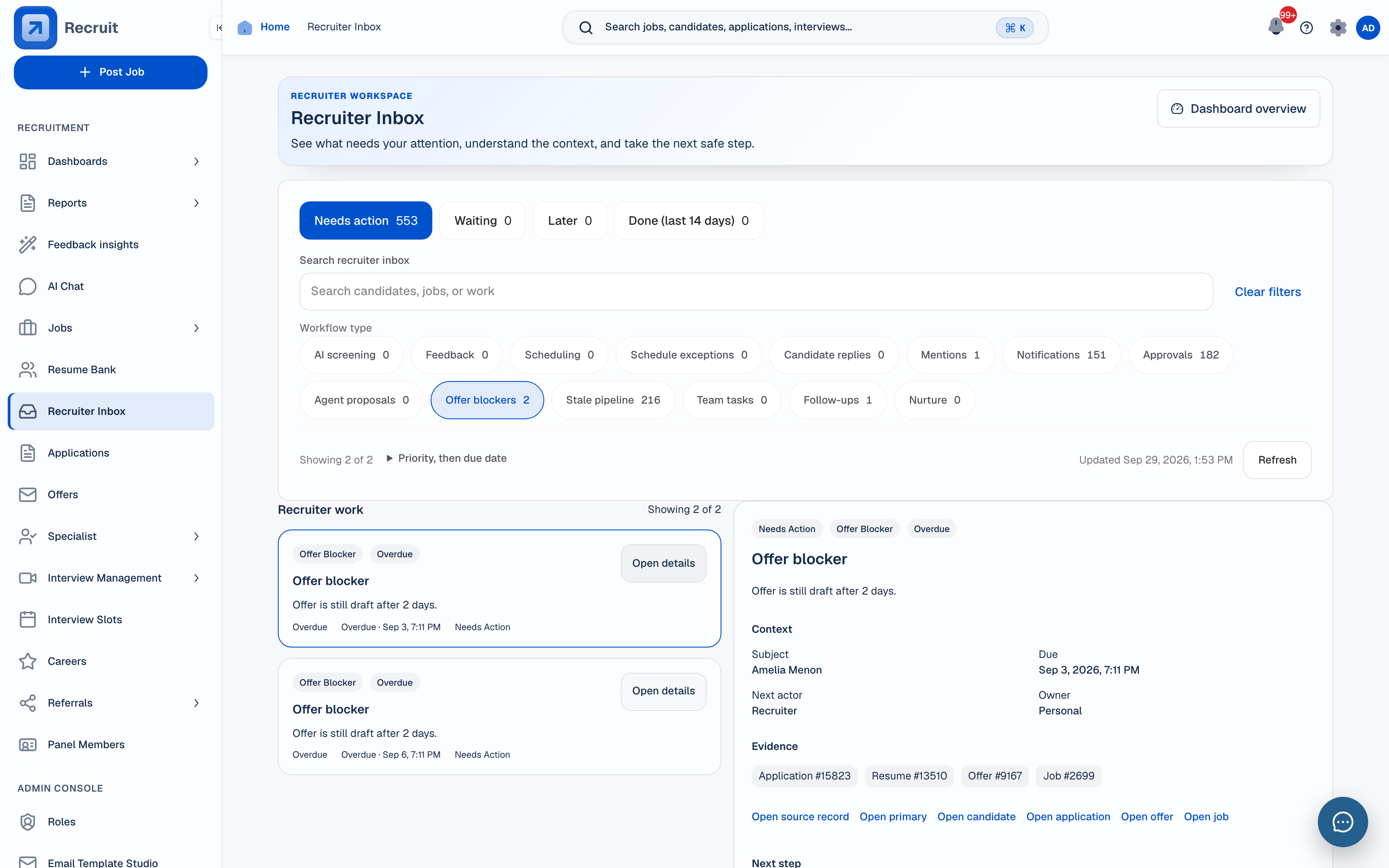
Recruiter priorities — 29 items need attention. Across your assigned hiring work.
5 Interviews to schedule · 5 Approvals · 2 Offer blockers · 5 Stale applications · 2 AI screening · 5 Notifications · 5 Proposals.
Next actions: Showing 5 of 29. Sophia Davis — Android Developer. Schedule interview · L1 with lisa.t.cooper. Schedule.
This excerpt uses demo data. The Schedule link opens the scheduling page; it does not book the interview. Copilot does not send candidate messages. Availability depends on your account permissions and which features are enabled.
Recruit’s screening, semantic search and other AI tools remain part of Recruit.
Explore the AI toolsAI reads, ranks and summarises with its reasons shown. A recruiter makes the final call.
See resume parserGive each participant a clear view of their next step.
See candidate statusBring external results into Recruit. Availability depends on configured providers.
Browse integration marketplaceFollow the hiring work from role setup to recruiter action, interview coordination and team review. Keep the context close to the next decision.
Follow job requests through to interviews and offers. Keep the candidate record and decisions together without juggling separate trackers.
9 workflow stages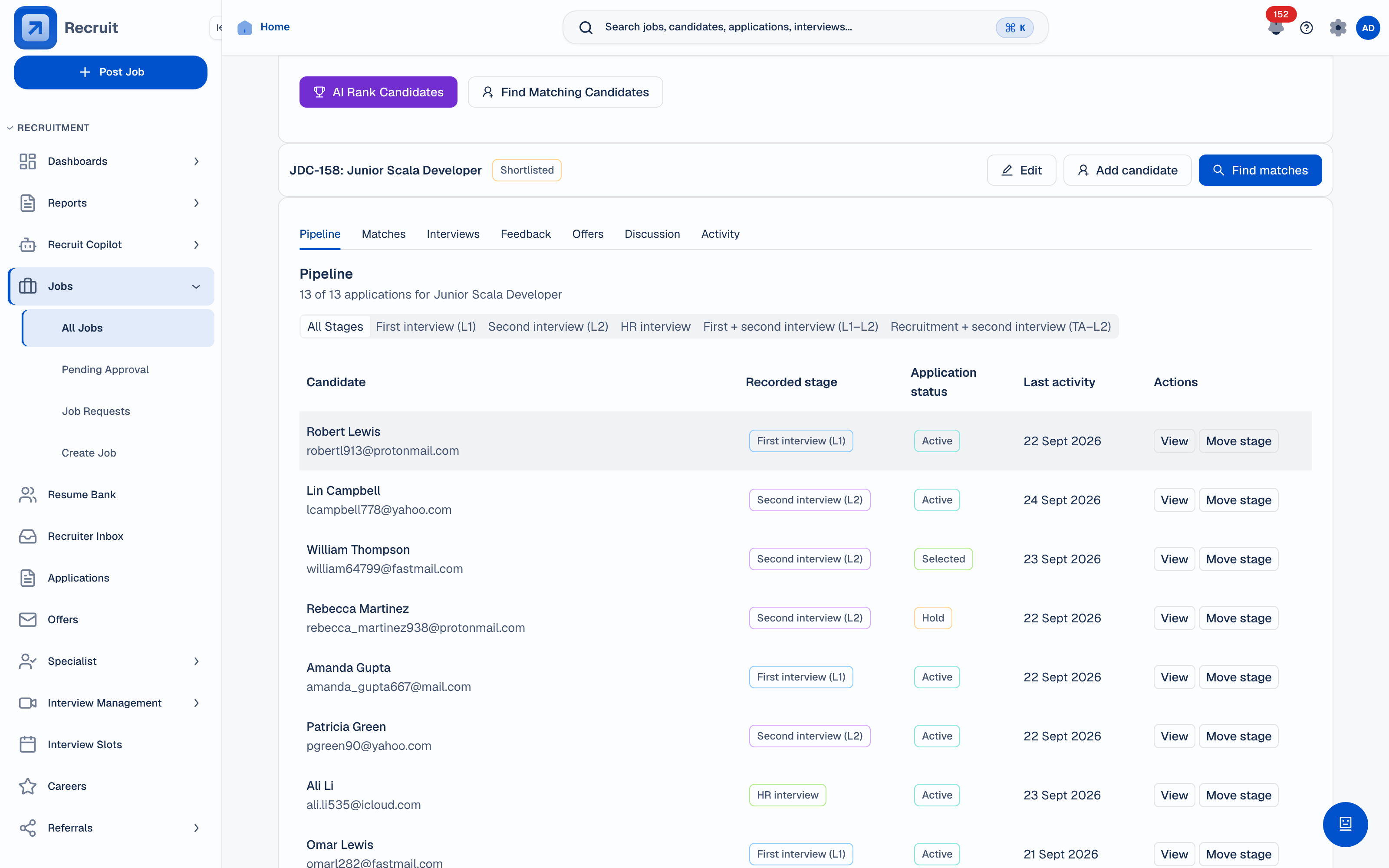 Job pipeline
View full size
ATS · 1/5
Job pipeline
View full size
ATS · 1/5
Keep candidate progress and approvals in one workflow, with feedback and decisions attached to the hiring record.
Move through pipeline control, role workspaces, interviews, collaboration, analytics, AI, integrations, and governance in the same connected hiring system.
Follow each application through the hiring stages with its approvals and feedback in view. Keep the next action clear without rebuilding context in separate trackers.
9 workflow stagesRecruit gives each role a relevant view of the same hiring records. Candidate workspaces and review queues keep the context close to the next action.
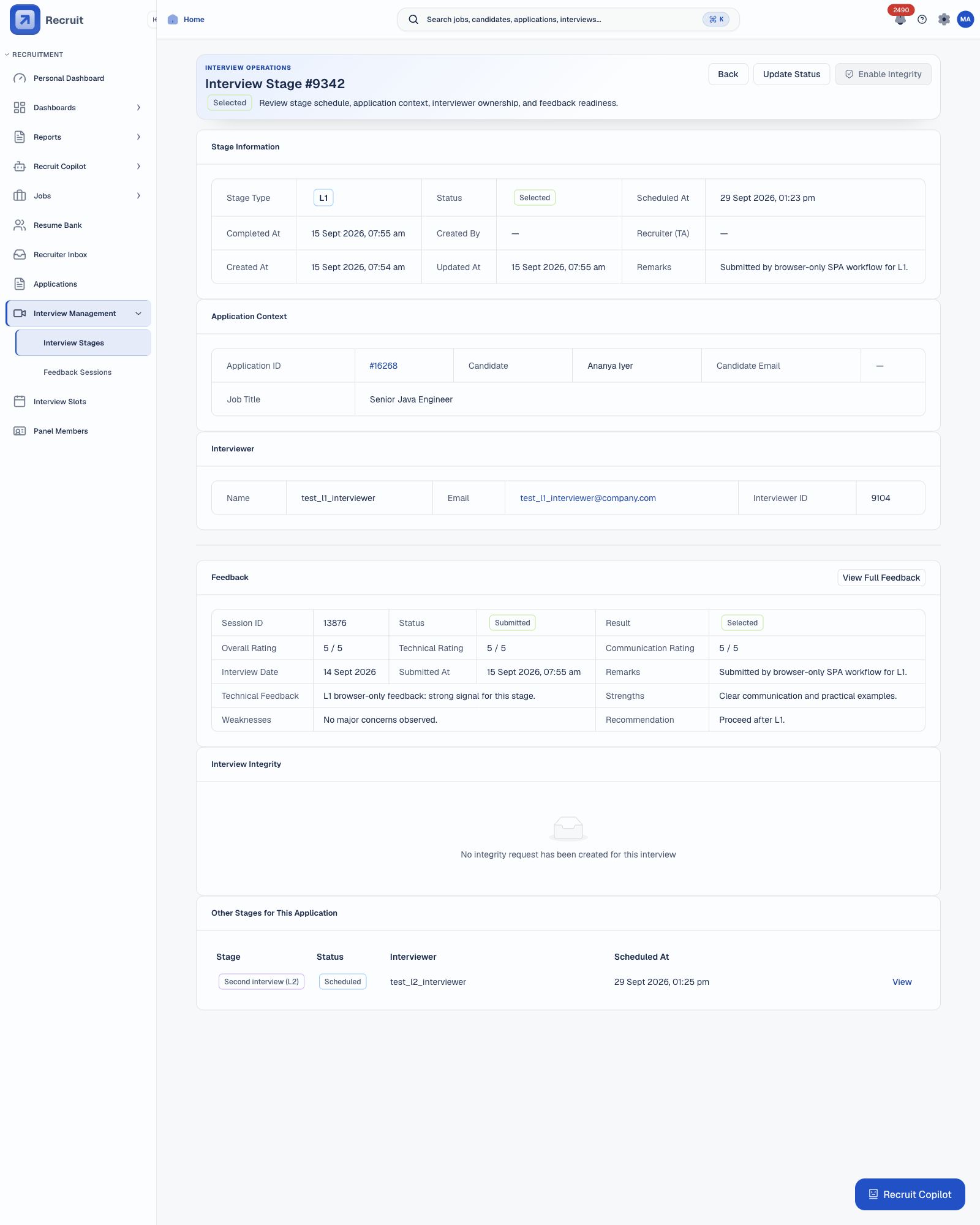
Shared recordRecruit connects slot planning, interviewer availability, scorecards, feedback, panel review, and integrity context so the next hiring decision has the full trail.
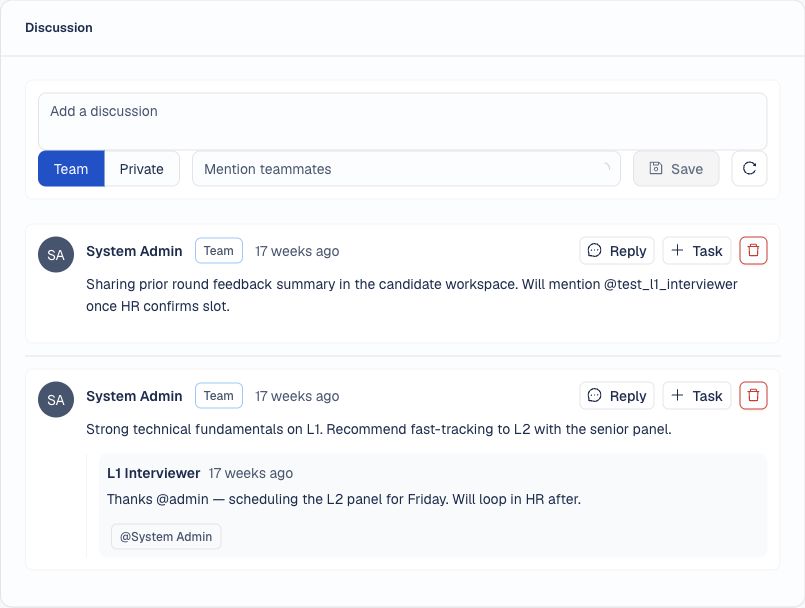
Round contextComments, mentions, follow-up tasks, notification controls, candidate updates, and hiring manager context stay close to the candidate record so teams can act without searching old messages.
Shared next stepAsk questions about hiring data and examine the evidence behind candidate assessments. Recruit Copilot connects eligible recruiters to this context and the next workflow.
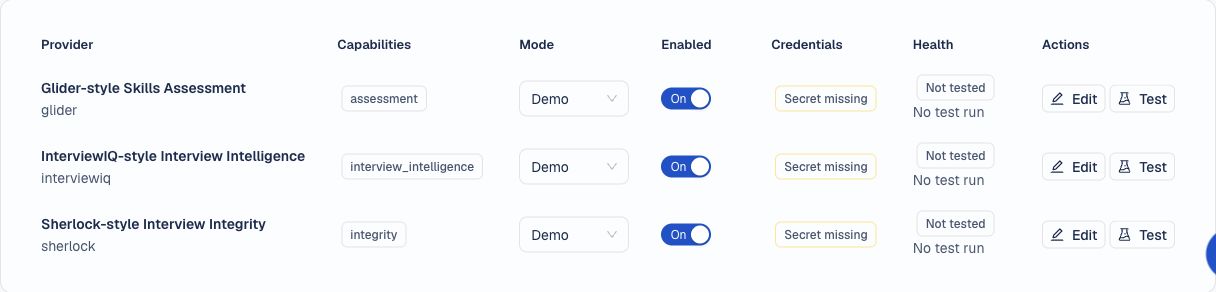
Reasoning shownBrowse Recruit’s third-party plugin marketplace for tools such as Glider AI and Sherlock AI. Configure assessment and interview integrity connections to bring verification and cheating-prevention signals into the hiring workflow.
Third-party plugin marketplace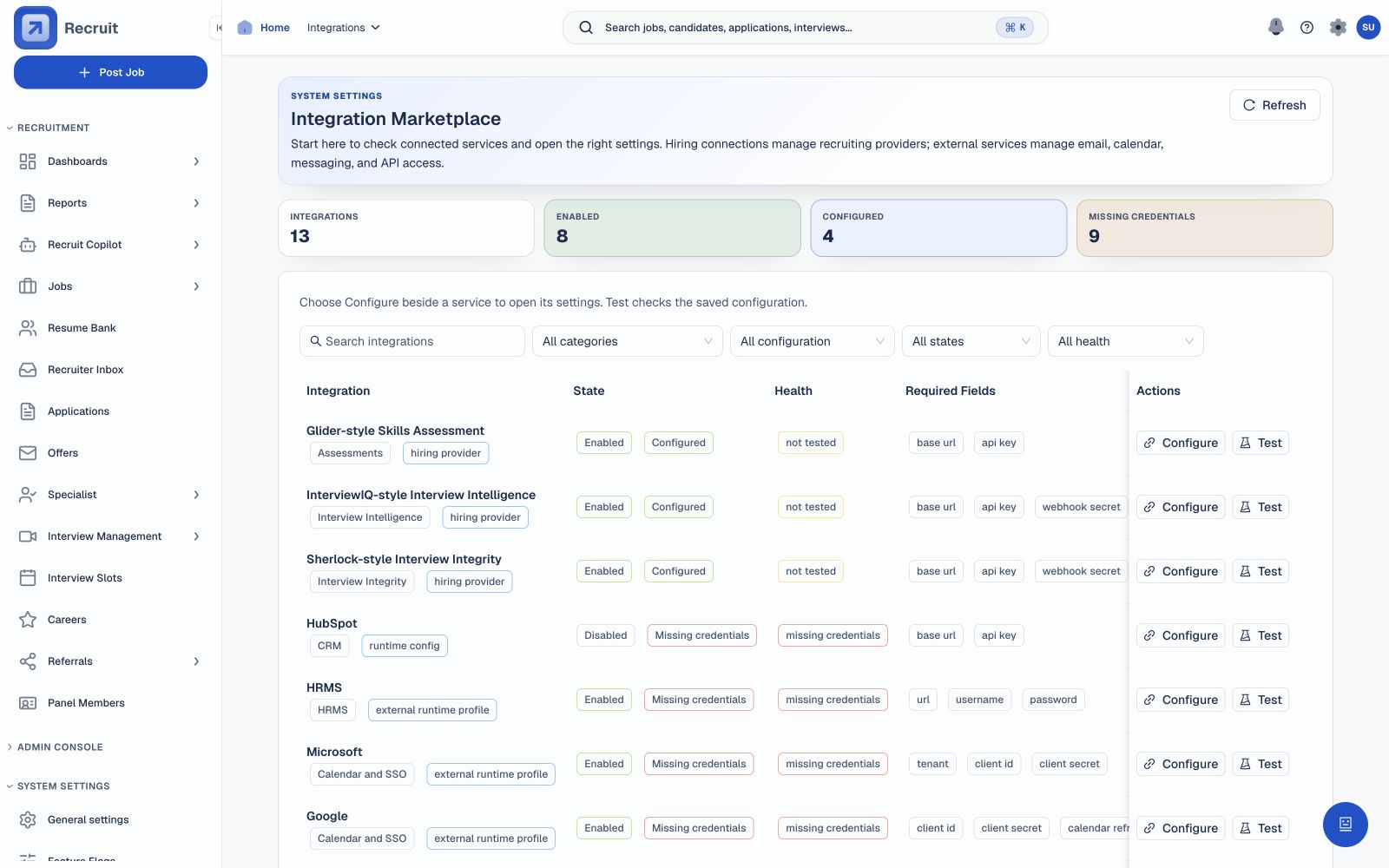 View full size
Integration Marketplace · Browse providers and their setup status.
 View full size
Assessment and interview verification plugins · Demo configuration shown; live connections require provider credentials.
Get help with preparation and follow-ups, so you can focus on better conversations.
 View full size
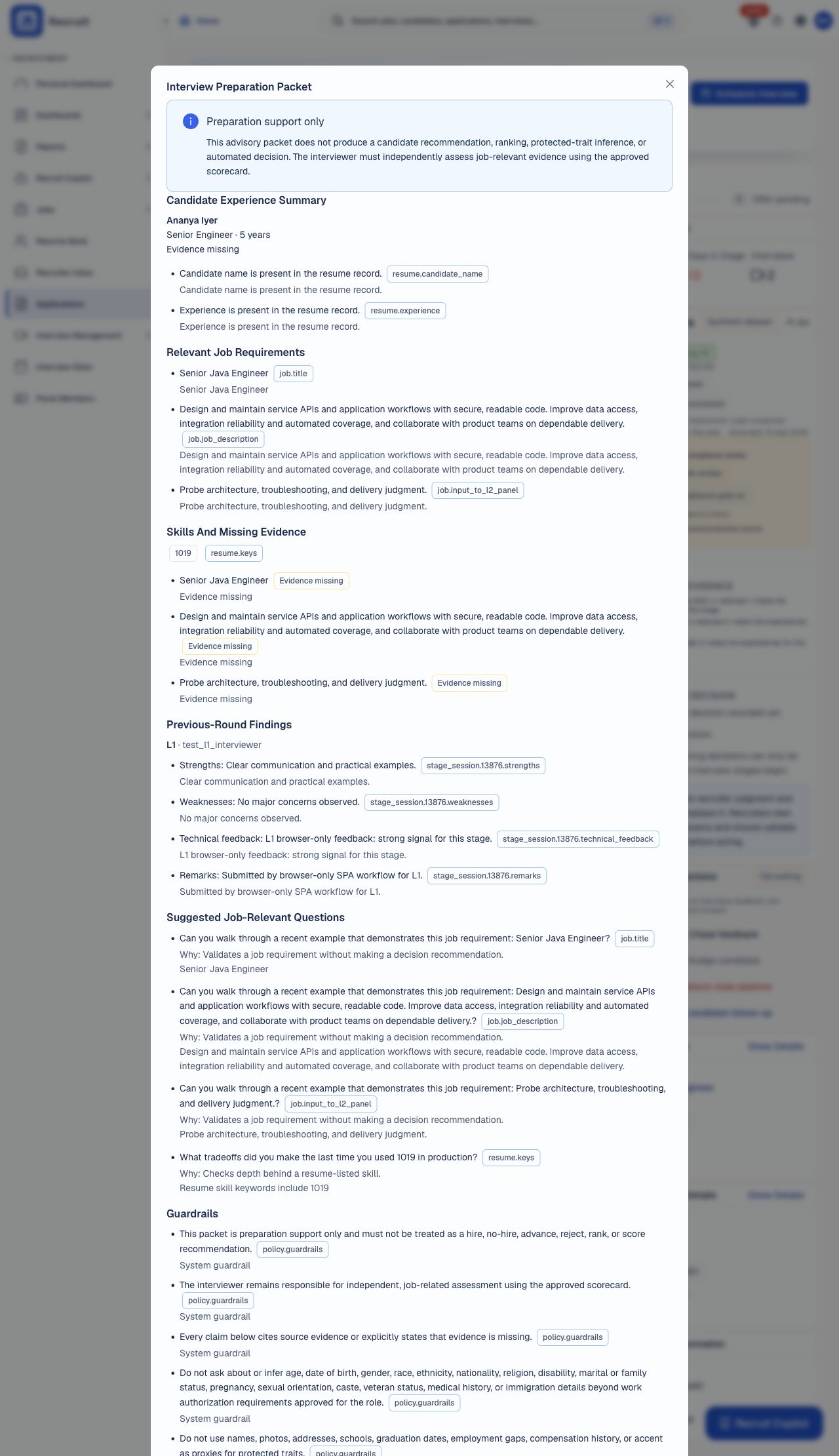
Walk into interviews prepared.
See role requirements and earlier feedback together before you meet the candidate.
You assess the candidate. No hiring recommendation.
The preparation packet brings candidate details, role requirements and earlier feedback together. It highlights what still needs an answer and suggests questions to cover. This uses recorded information and fixed rules; the interviewer makes the assessment.
 View full size
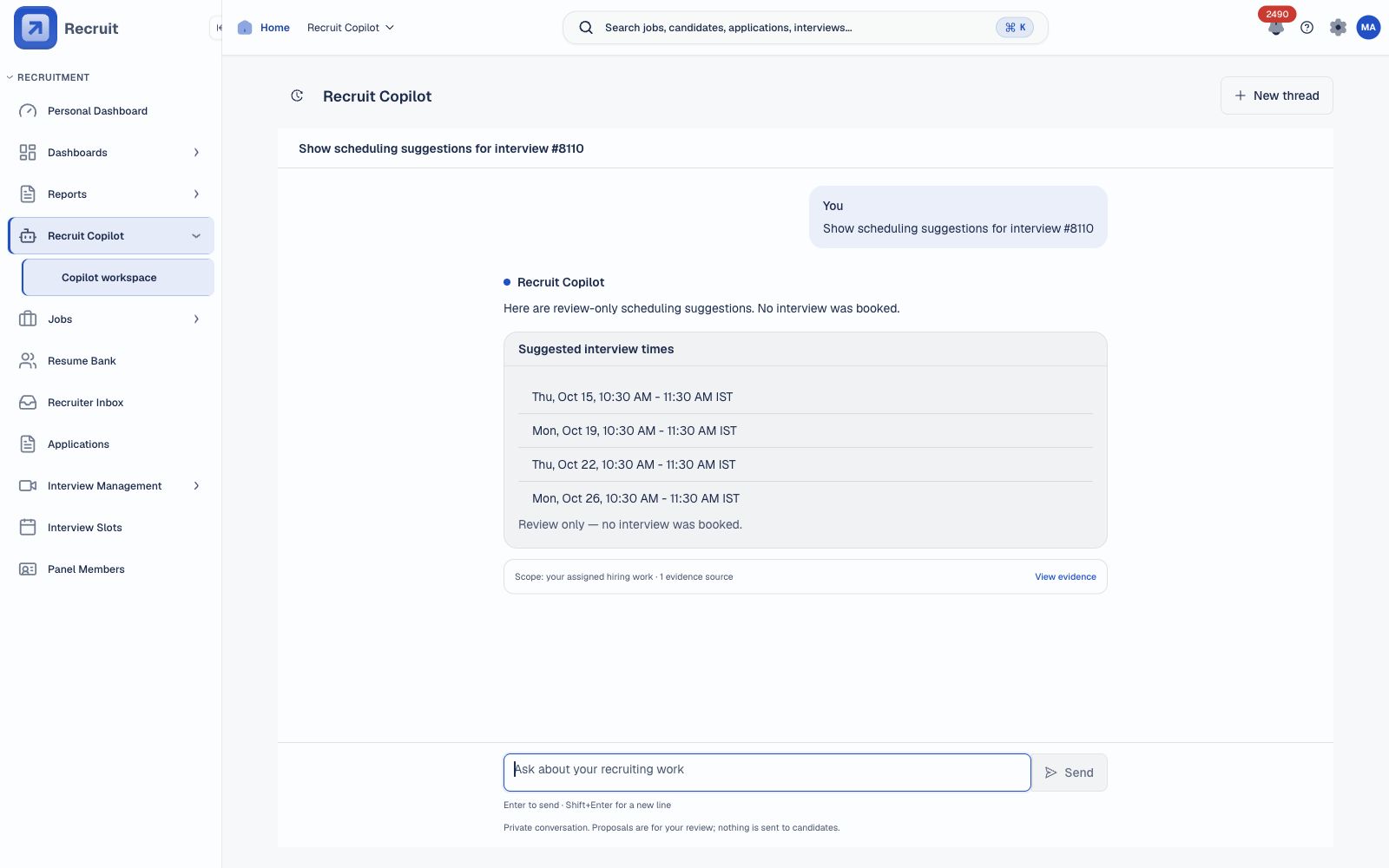
Find a time that works.
Review scheduling suggestions beside the interview details, then choose how to proceed.
Suggestions do not book or hold a slot.
Ask for scheduling help while reviewing an interview. Suggested options stay alongside the interview details. An authorised person checks availability and completes the booking separately. Copilot scheduling suggestions do not reserve a slot.
 View full size
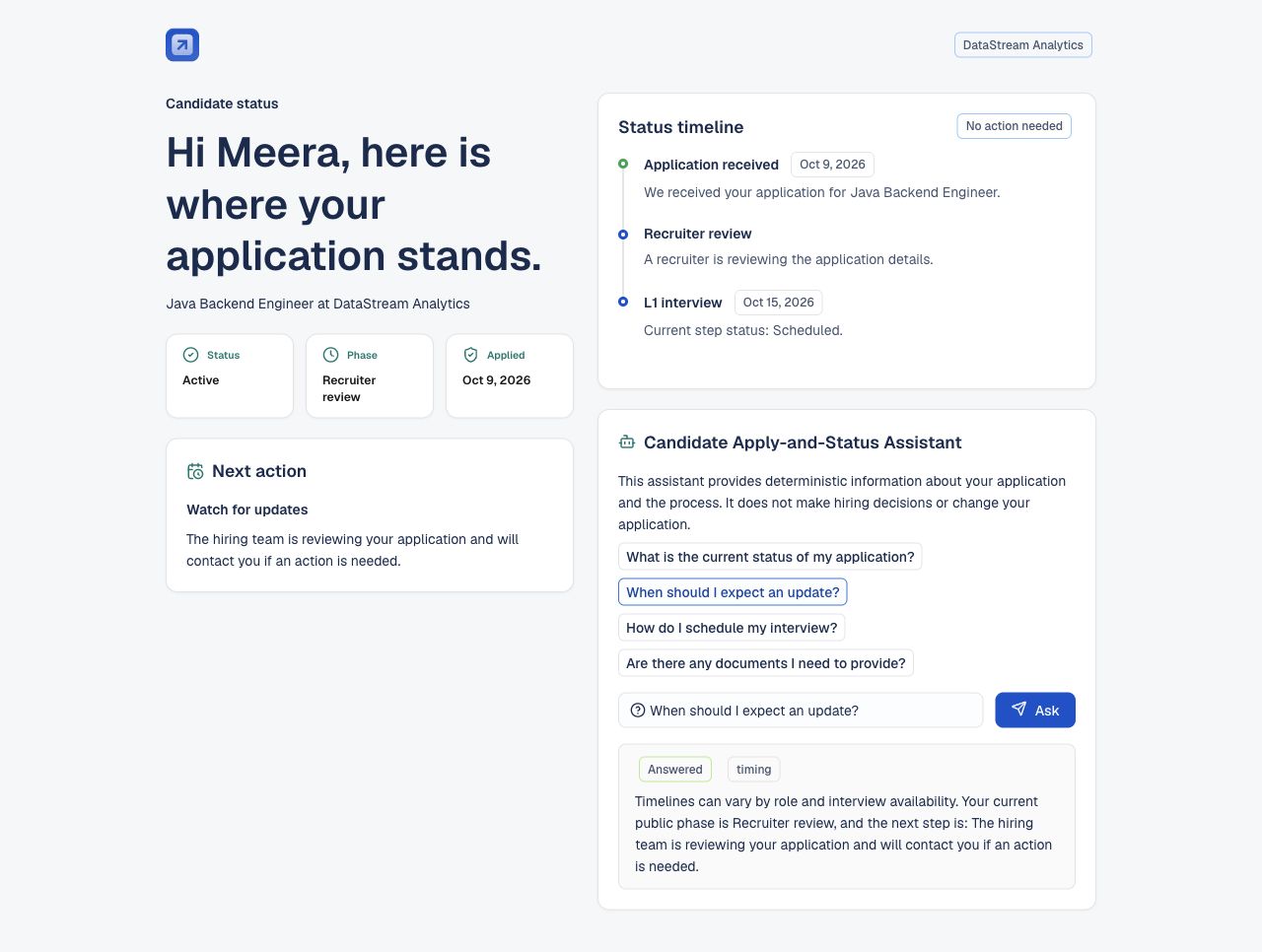
Make the next step clearer.
Help candidates see where their application stands and what happens next.
Private hiring notes stay private.
Candidates receive approved process answers and status information published for them. Guidance can explain timing and general document requirements. Internal assessments are excluded. Answers do not change the application or expose private recruiter notes.
 View full size
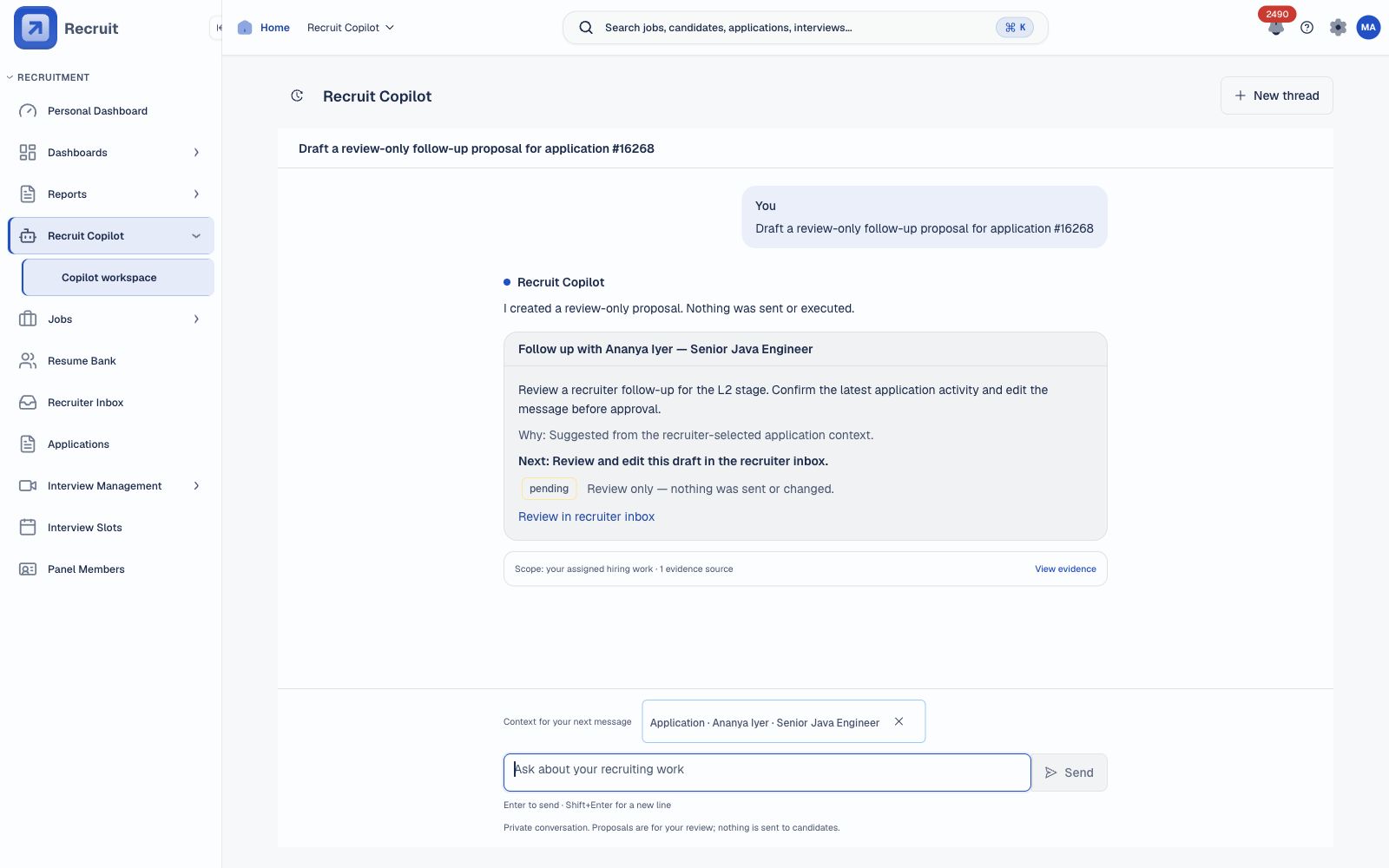
Keep follow-ups moving.
Get a follow-up suggestion linked to the application, ready for your review.
You review it. No candidate message is sent.
Ask Copilot to prepare a follow-up proposal for the selected application. It creates a title and summary linked to that record in the recruiter inbox. This is a review-only proposal, not a composed email. Copilot does not send candidate messages.
Keep team discussions with the hiring record. Candidates get a separate view of their published status.
Review workload and pipeline movement. Ask analytics chat about the available data, or export it for closer review.
Access is shaped by your account permissions.
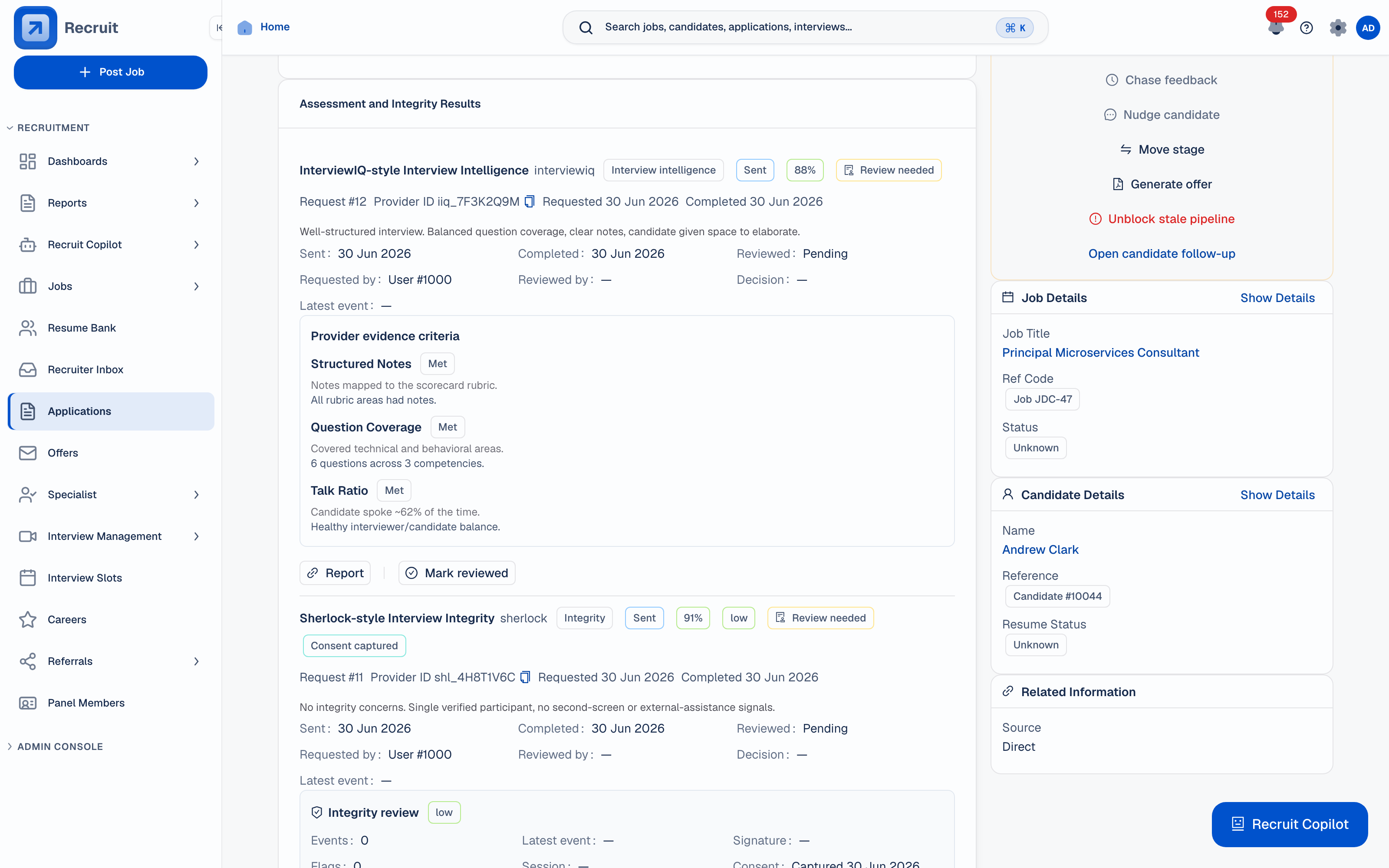
Review external assessment and interview-checking results on the hiring record. Each provider needs setup before use.
Find relevant profiles with semantic search. Review the reasons and gaps behind a candidate assessment.
Scores support your review. Check the sources and record your own assessment. Screenshots use fictional demo data. Generated AI responses still need human review.
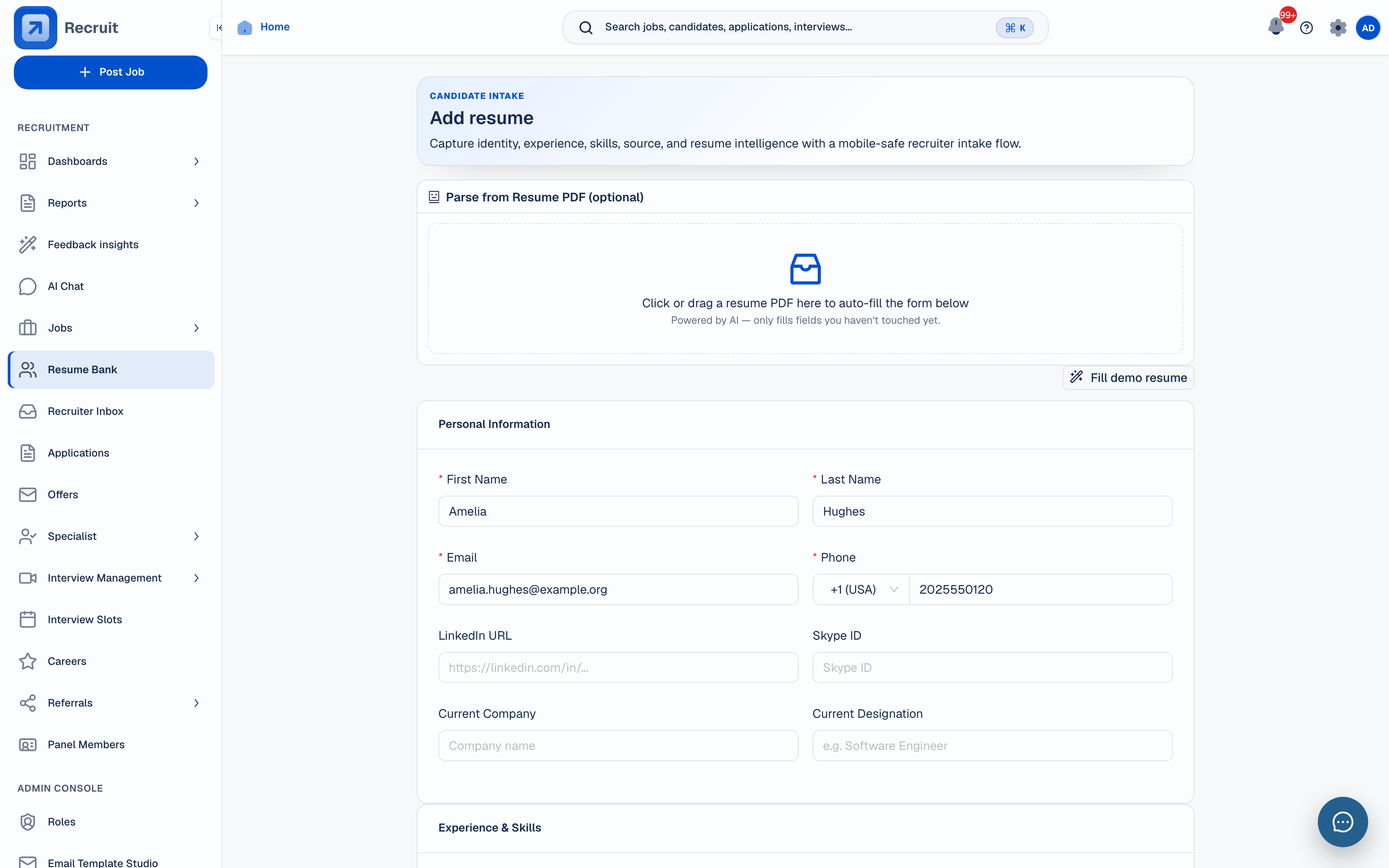 Resume parsing
Review extracted details before saving the candidate profile.
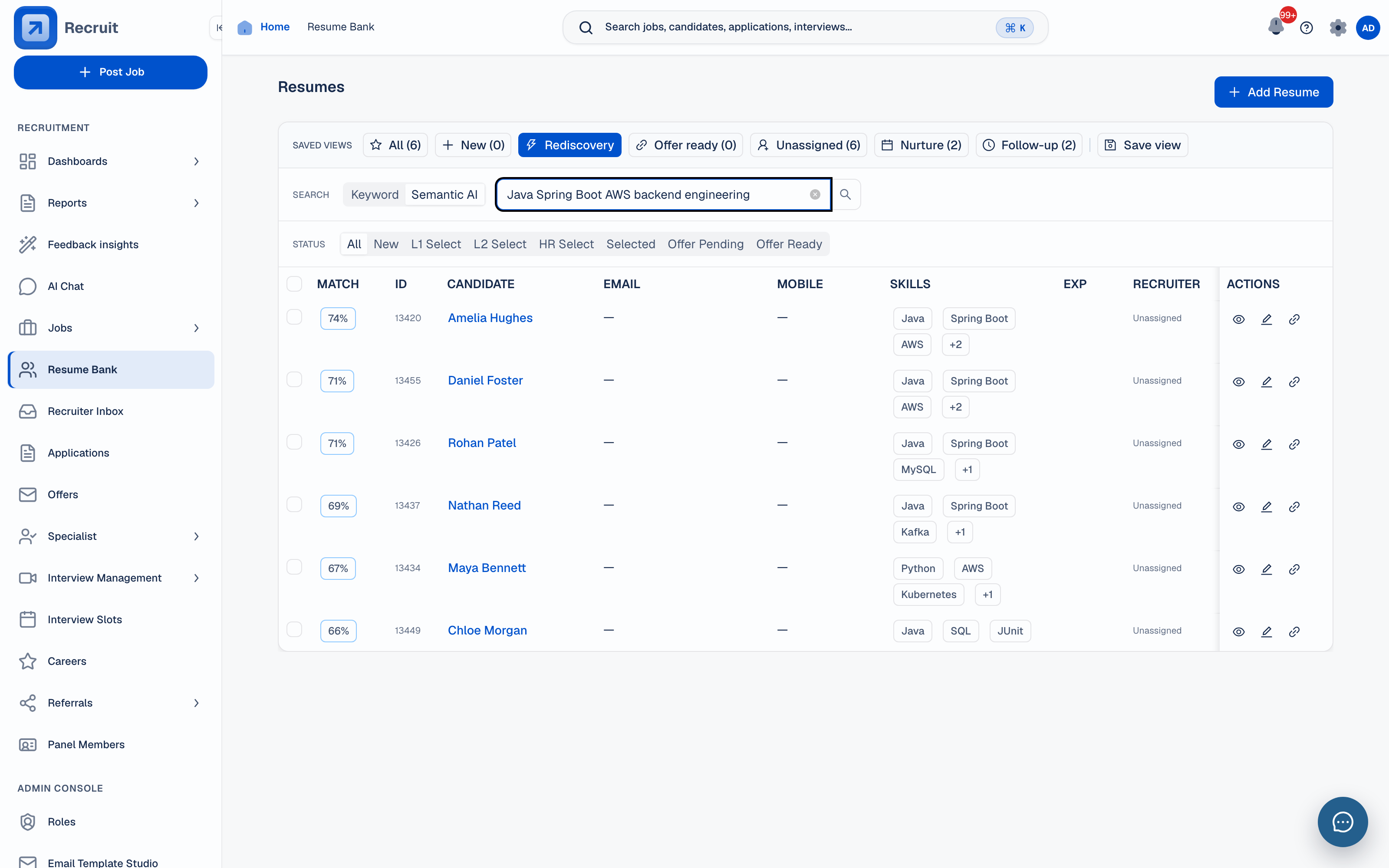 Semantic search
Find relevant profiles beyond an exact keyword match.
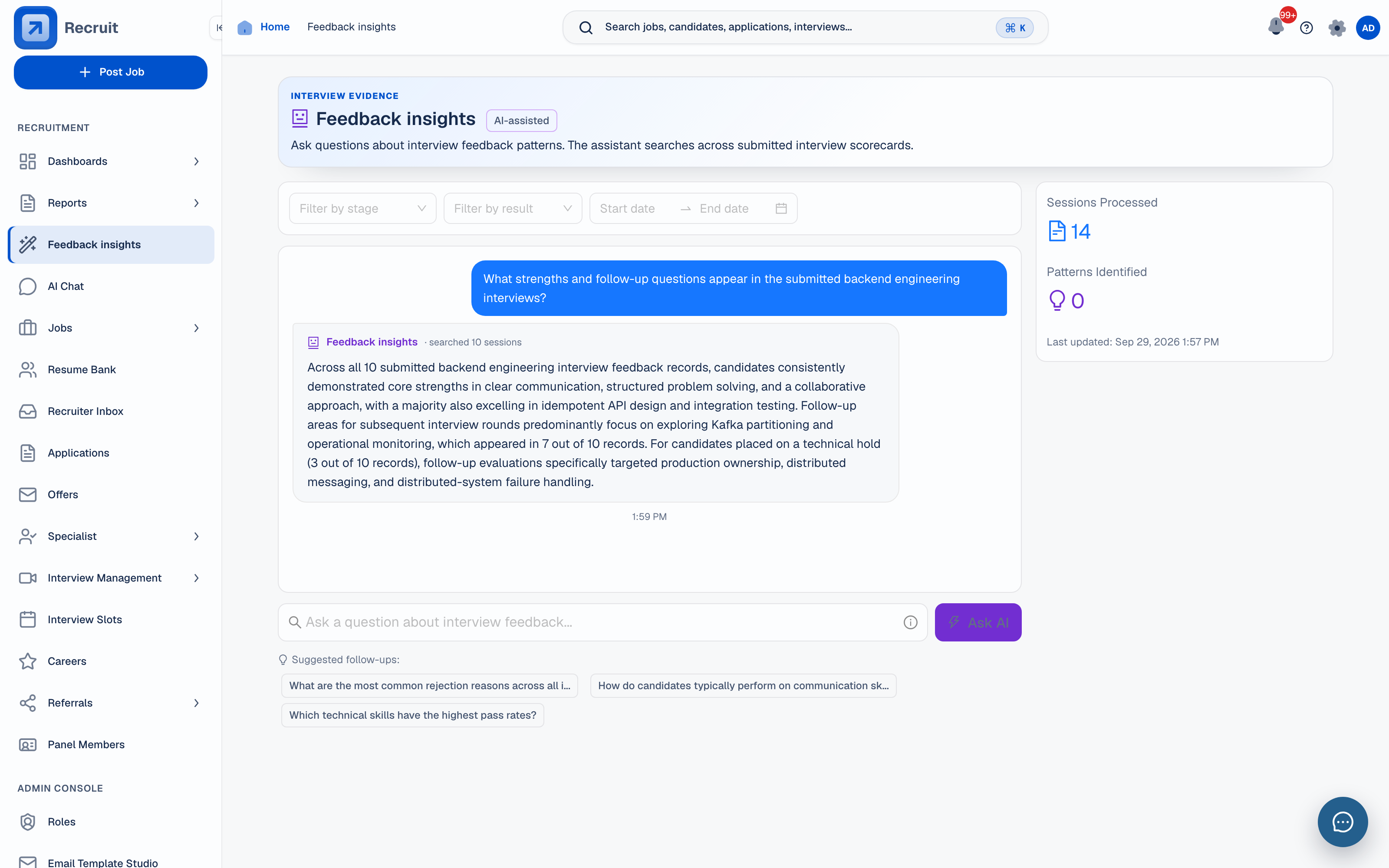 Feedback Intelligence
Read recurring themes in submitted interview feedback.
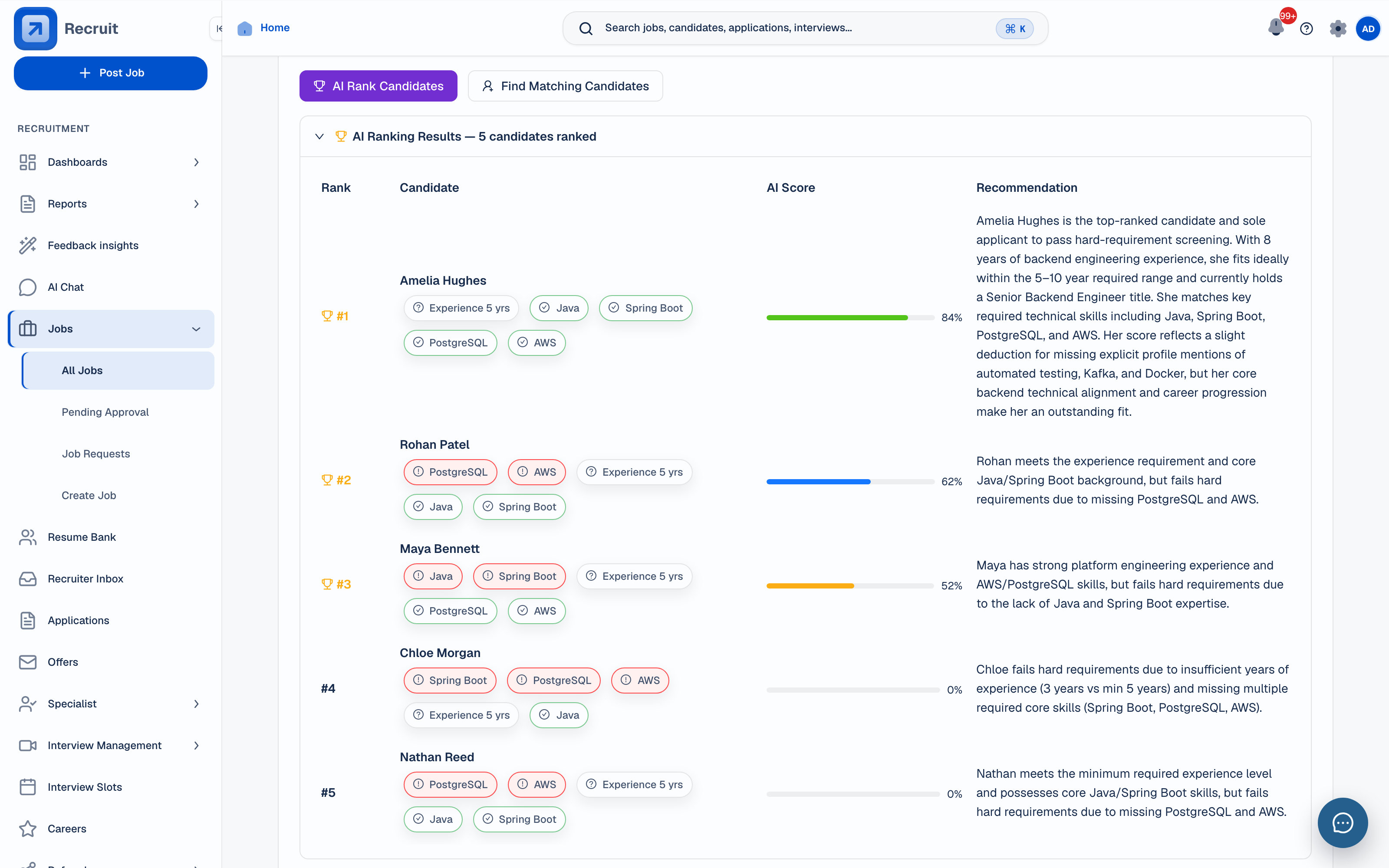 Candidate ranking
Compare role fit with the supporting criteria in view.
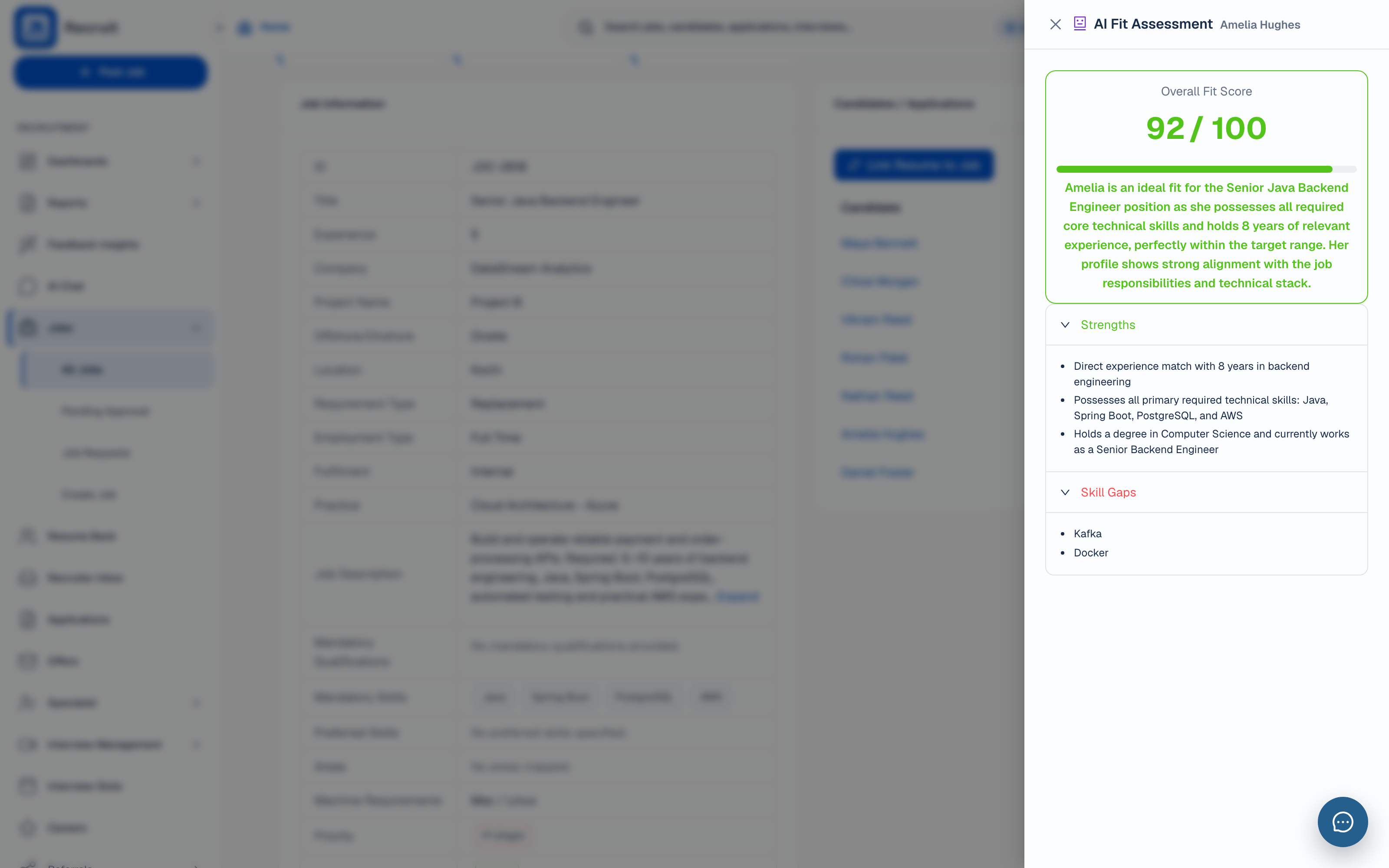 Fit assessment
Check strengths and missing skills behind the score.
Recruiters see the work to follow up. Hiring leaders see where progress is waiting. Both work from the same records.
Sign in to see the features switched on for your account, or follow the product tour first.